Bulk Age Calculator
| Name | Birth Date | Age (Y M D) |
|---|---|---|
| No data calculated yet. Enter dates and click Calculate Ages. | ||
Related
Bulk Age Calculator – Calculate Multiple Ages Instantly
A Bulk Age Calculator is an online tool that allows you to calculate the age of multiple people at the same time. Instead of entering one date of birth at a time, you can upload a list or paste several DOB entries and get instant age results in years, months, and days.
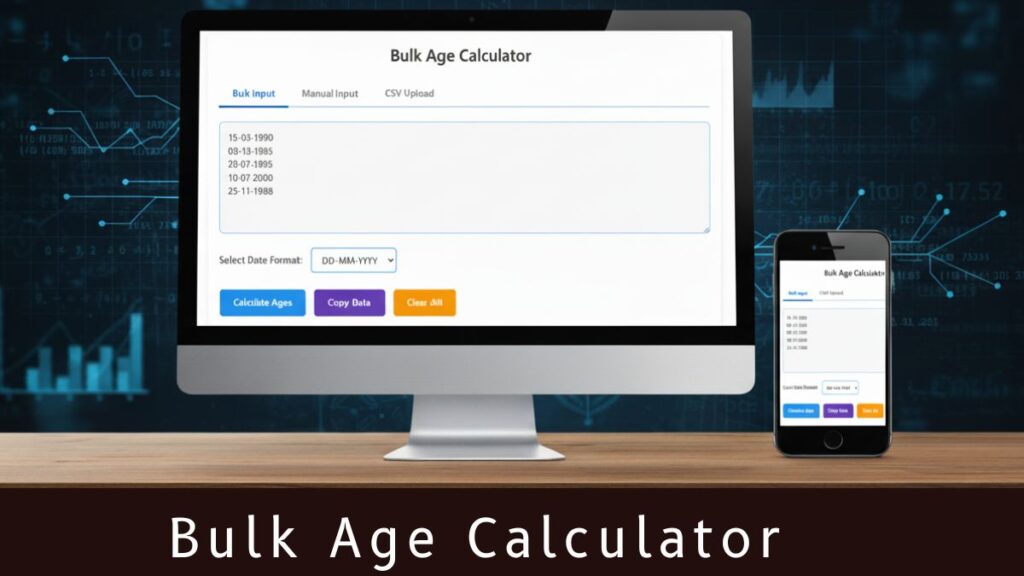
This powerful tool is extremely useful for schools, colleges, HR departments, government offices, coaching institutes, and organizations that handle large data sets daily.
In simple words, if you need to calculate the age of 10, 50, 100, or even 10,000 people at once, a Multi-Record Age Calculator simplifies the entire process with fast and accurate results.
What is a Bulk Age Calculator?
A Bulk Age Calculator (also called Multiple Age Calculator, DOB to Age Converter, or Online Age Calculator for Multiple Entries) is a multi-entry system that processes several dates of birth simultaneously.
It uses automated logic to calculate age precisely and present it in a clean format such as:
- Age in Years
- Age in Months
- Age in Days
This makes it ideal for:
- Government job application verifications
- School/college admission lists
- HR employee data management
- Coaching institute student records
- Bulk form submissions
- Survey and census data analysis
- Hospitals and clinics managing patient data
Why Bulk Age Calculator is Important?
When you manage long lists of people, manually calculating each age becomes slow and error-prone. A Bulk Age Calculator or Multiple Age Calculator solves this problem by offering:
- Time Efficiency – Calculates hundreds of ages in seconds
- Zero Human Error – Eliminates mistakes
- Smooth Data Handling – Useful for official documentation
- Professional Accuracy – Essential for data-sensitive fields
- Instant Processing – Perfect for government or institutional work
For institutions dealing with thousands of entries, this tool becomes essential for correct and fast age verification.
Overview of Features
The calculator offers three distinct input methods:
- Bulk Input: Enter multiple dates at once in a text area
- Manual Input: Add individuals one by one with names and dates
- CSV Upload: Import data from a CSV file
All data is processed simultaneously, and results are displayed in a clean, organized format showing years, months, and days for each person.
How to Use the Bulk Age Calculator (Step-by-Step Guide)
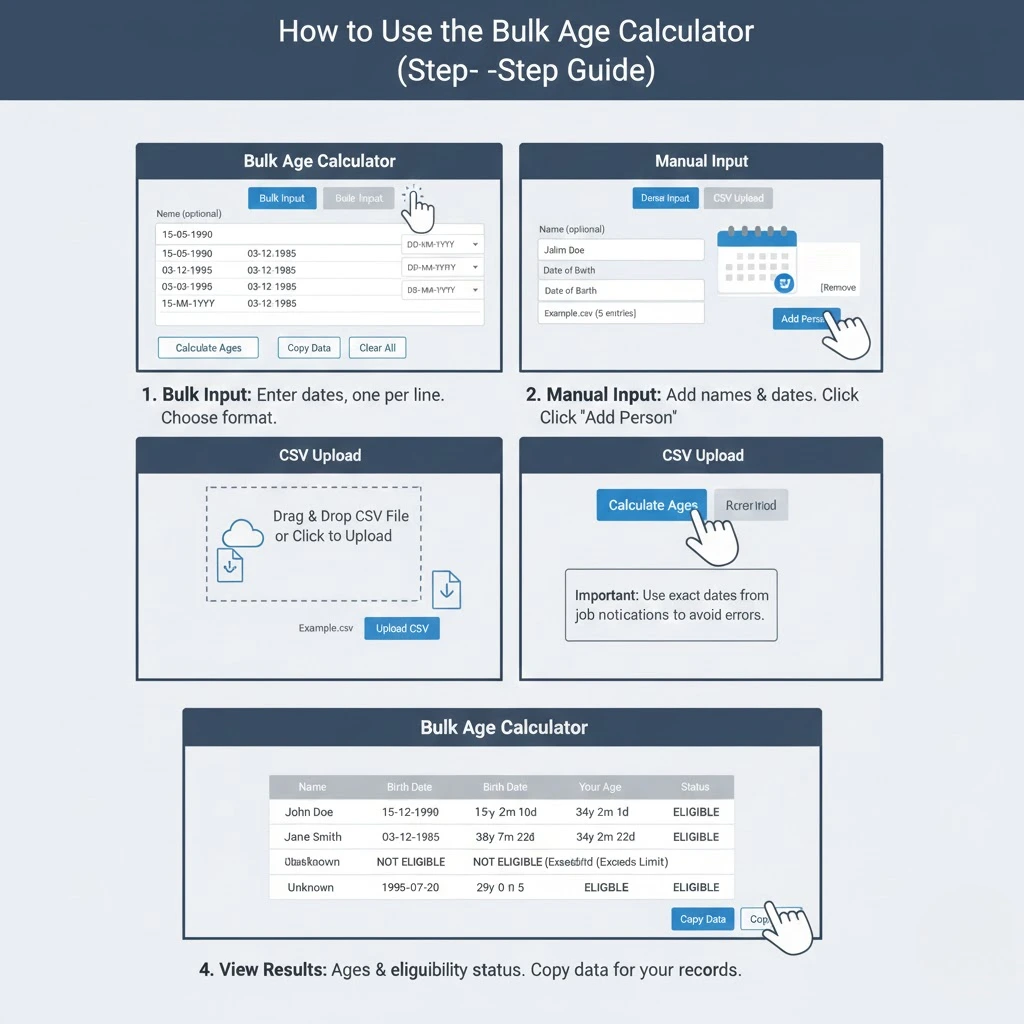
When you first open the calculator, you’ll see:
- A title “Bulk Age Calculator” at the top
- Three tabs: Bulk Input, Manual Input, and CSV Upload
- Action buttons at the bottom: Calculate Ages, Copy Data, and Clear All
- A results table that will display the calculated ages
Method 1: Using Bulk Input
This method is ideal when you have multiple birth dates without names.
Step-by-Step Instructions:
- Click on the Bulk Input tab (it’s selected by default)
- In the text area, enter birth dates, one per line
- Select your preferred date format from the dropdown menu:
- DD-MM-YYYY (e.g., 15-05-1990)
- MM-DD-YYYY (e.g., 05-15-1990)
- YYYY-MM-DD (e.g., 1990-05-15)
- DD/MM/YYYY (e.g., 15/05/1990)
- MM/DD/YYYY (e.g., 05/15/1990)
- Click Calculate Ages to process all the dates
15-05-1990
03-12-1985
20-07-1995
10-01-2000
25-11-1988
Method 2: Using Manual Input
This method is perfect when you need to associate names with birth dates.
Step-by-Step Instructions:
- Click on the Manual Input tab
- Enter a name in the “Name (optional)” field
- Select a birth date using the date picker
- Click Add Person to add the entry to your list
- Repeat for additional people
- Click Calculate Ages when you’re done
Features:
- Each entry appears in a list below the form
- You can remove individual entries using the red “Remove” button
- The form automatically clears after adding each person
Method 3: Using CSV Upload
This method is best for importing large datasets from spreadsheets or databases.
Step-by-Step Instructions:
- Click on the CSV Upload tab
- Prepare your CSV file with the format: Name,Birth Date
- Click the upload area or drag and drop your CSV file
- The file name will appear below the upload area
- Click Upload CSV to process the file
- Review the imported entries in the list below
- Click Calculate Ages when ready
CSV Format Example:
Name,Birth Date
John Doe,1990-05-15
Jane Smith,1985-12-03
Bob Johnson,1995-07-20
Tips for CSV Files:
- Use YYYY-MM-DD format for dates in your CSV
- The first row should contain headers (Name,Birth Date)
- Names are optional – empty name fields will default to “Unknown”
- Each row should contain exactly one person’s information
Understanding the Results
After calculating ages, you’ll see a table with three columns:
- Name: Shows either the person’s name or “Bulk Entry” for bulk input
- Birth Date: Displays the original birth date
- Age (Y M D): Shows the precise age breakdown with:
- Years (Y): Full years passed since birth
- Months (M): Additional months after the full years
- Days (D): Additional days after the months
The age components are displayed in blue boxes with clear labels for easy reading.
Exporting Your Data
Copy Data to Clipboard:
- After calculating ages, click the Copy Data button
- The data is copied in CSV format
- Paste it into any spreadsheet application (Excel, Google Sheets, etc.)
Example of Copied Data:
Name,Birth Date,Age (Y M D)
Bulk Entry,15-05-1990,35y 1m 12d
Bulk Entry,03-12-1985,39y 0m 27d
Managing Your Data
Clear All:
- Click the Clear All button to reset everything
- This removes all data from all three input methods
- The results table will also be cleared
Removing Individual Entries:
- In Manual Input mode: Use the red “Remove” button next to each entry
- In CSV Upload mode: Use the red “Remove” button next to each entry
- In Bulk Input mode: Edit the text area directly to remove lines
Who Should Use a Bulk Age Calculator?
- For student admission, sports eligibility, exam verification, etc.
- To manage employee ages, retirement timelines, and onboarding details.
- For voter lists, census entries, document verification, etc.
- Useful for determining eligibility for various government exams.
- Helps maintain precise patient age records.
- To integrate age calculation logic into apps, portals, or websites.
Conclusion
A Bulk Age Calculator is one of the smartest tools for handling multiple DOB entries efficiently. It removes manual effort, reduces mistakes, and provides official-level accuracy — all within seconds.
Whether you’re a school, HR department, government office, coaching center, hospital, or a developer working on bulk datasets, this tool helps simplify age verification and ensures smooth data management.
If you regularly deal with long DOB lists, using a Multiple Age Calculator or Online Age Calculator for Multiple Entries is not just helpful – it’s necessary for fast and reliable age calculations.
